Reports & dashboards · Run on autopilot
Know what is owed, what is earned and where the time goes.
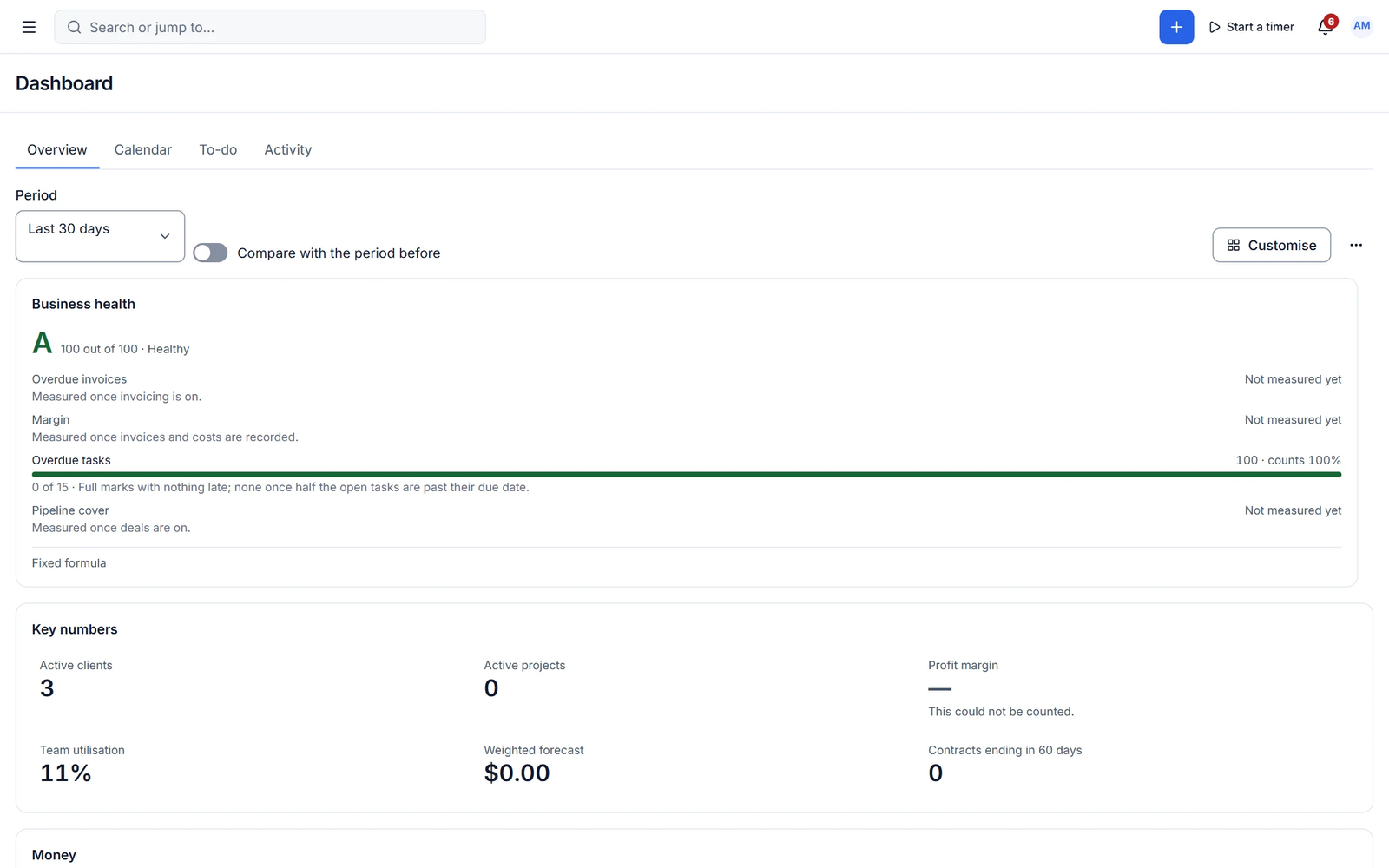
A dashboard you arrange yourself, a business health score, and the reports every owner needs, from revenue collected to accounts-receivable aging. Pro answers the big one: did we make money?
Decisions made on gut feel cost money
Which client is profitable? How much is overdue? Where does the team’s time go? Without numbers in one place, the answers come too late.
Dashboards
A dashboard that fits how you run the business
Add, remove and drag widgets, set date ranges, compare periods and drill down. Widgets cover tasks, invoices, tracked time, revenue collected, outstanding and overdue, AR aging, pipeline, approvals and more.
- Create as many personal dashboards as you like
- Business health score, explained
- Month-on-month cards
Reports
The reports every owner needs
Revenue invoiced vs collected, revenue per client, AR aging, outstanding and overdue, payments by gateway, hours by client, project and member, billable vs non-billable, tasks, lead sources, pipeline by stage and tax collected.
- Date ranges and fiscal years
- Charts, tables and drill-down
- CSV export
Capabilities
What you get with reports & dashboards
Free features work with no limits. Pro features are marked.
-
Custom dashboards
Unlimited personal dashboards with drag-and-drop widgets.
- Free + Pro
Business health score
An explained score. Pro lets you edit the formula.
-
Core reports and CSV export
Revenue, AR aging, hours, pipeline, lead sources and tax.
- Pro
Profitability
By project, client, service and member, with utilisation and effective rate.
- Pro
Forecasts and recurring revenue
MRR, ARR, retainers and cash-flow forecast.
- Pro
Custom report builder
Build, schedule and share reports, including client-facing ones.
- Pro ✦ AI
AI insights
Reports from a question, explanations and anomaly alerts.
-
Conversion and revenue reports
Quote and proposal conversion rates, revenue by month, service and project.
- Pro
Team and client health reports
Client response times, team activity and performance, and client health.
✦ AI in reports & dashboards
Ask your numbers a question
In Pro, ask "which clients were least profitable this quarter?" and get the report, an explanation and anything unusual worth a look.
- Reports from words
- Plain-language explanations
- Anomaly alerts
With Cliezoo Pro Pro
More automation and scale
- Profitability by project, client, service and member
- Utilisation, capacity and WIP
- MRR, ARR and cash-flow forecast
- Custom, scheduled and client-facing reports
- Excel and PDF export
- AI insights and anomaly alerts
Frequently asked questions
Can’t find your answer? Read the docs or ask the Degird team.
Read the docs → Contact us →Are reports included for free?
Yes. The core reports every owner needs, with charts, drill-down and CSV export, are in the free plugin.
Can I share reports with clients?
Client-facing reports in the portal are part of Pro.
Run your whole client business from WordPress.
Install the free plugin in minutes. No caps, no trial, no credit card. Upgrade to Pro when you want autopilot.