Time tracking · Get paid
Track time, bill every hour.
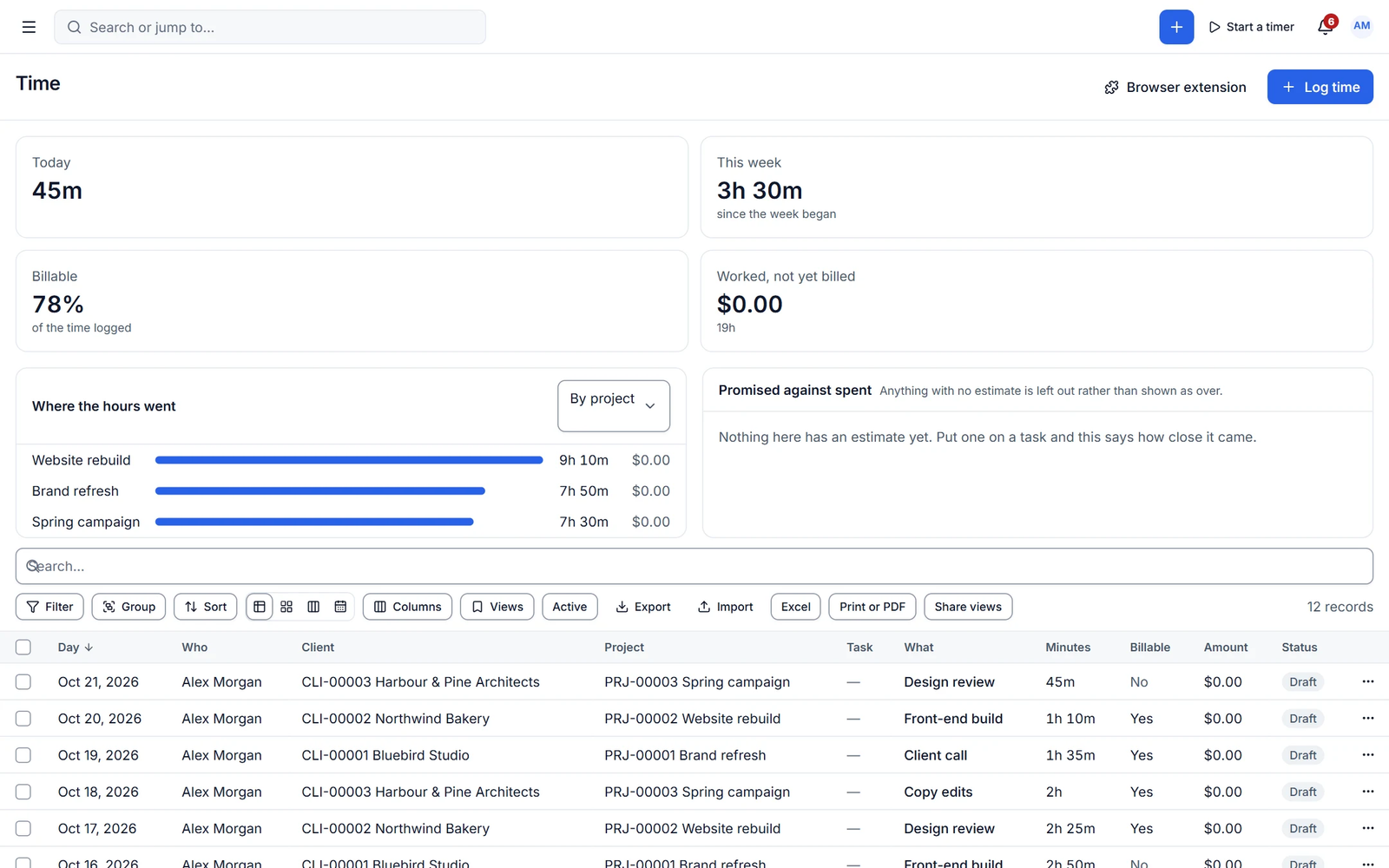
Start a timer from any task, project or the top bar, log time manually, and add unbilled hours and expenses to an invoice in one step. Clients can see logged time in their portal.
Unbilled hours are lost revenue
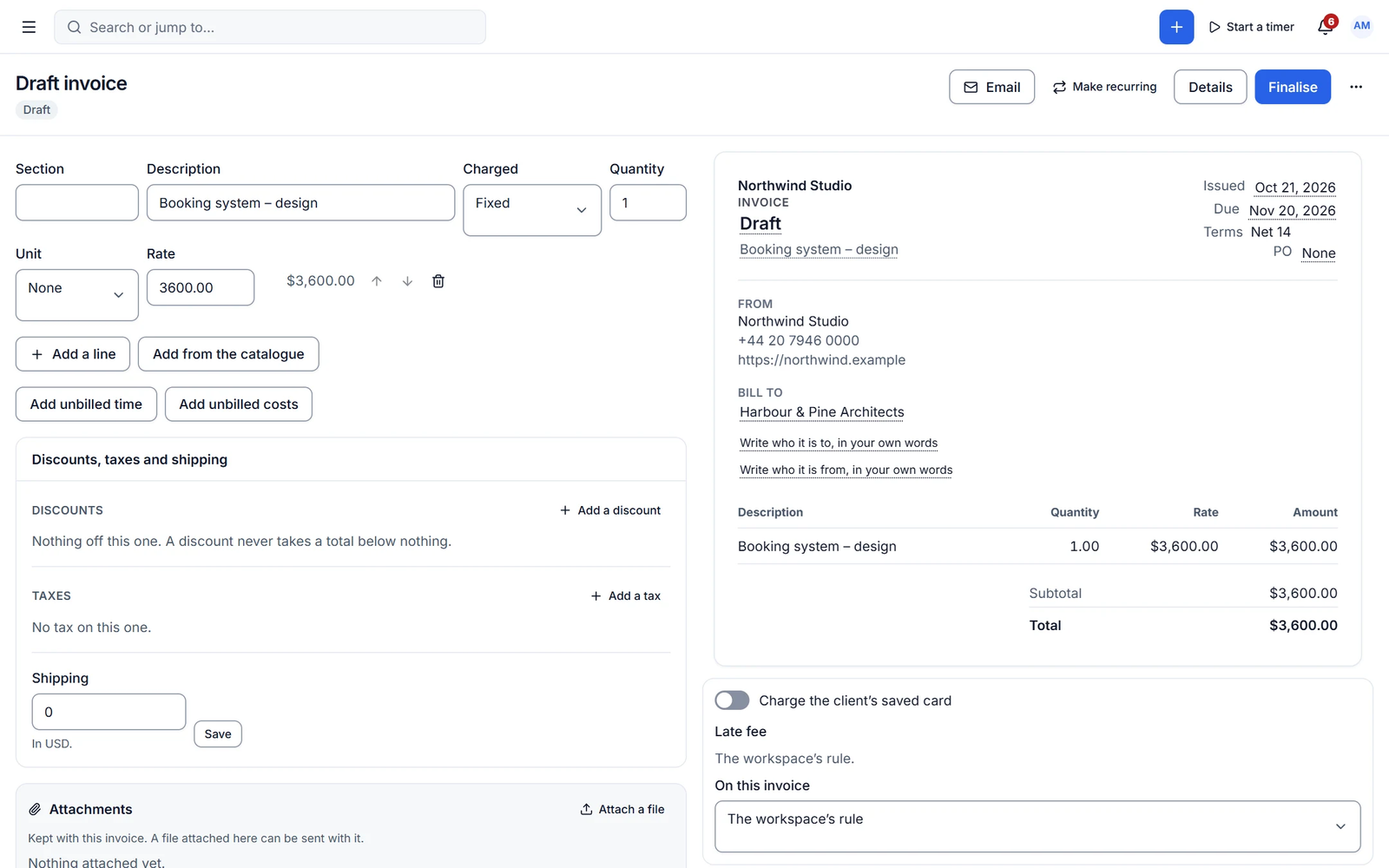
Time tracked in one app and billed from another leaks money every month. In Cliezoo, tracked time flows into invoices and locks once it is billed.
Timers and entries
One running timer, everywhere
A live timer in tasks, projects, the top bar and the command palette, with pause and resume. Manual entries take duration or start and end times, billable flags, services and tags. Managers can log time for others.
- Bill rates per project, member or service
- Estimates vs actuals
- Charts and monthly totals
Expenses
Expenses billed back to the client
Record expenses with tax, category, vendor, receipt upload and markup, link them to a client, project or task, and add unbilled expenses to the next invoice.
- Receipt uploads
- Billable markup
- Linked to projects and tasks
Capabilities
What you get with time tracking
Free features work with no limits. Pro features are marked.
-
Live timer
From tasks, projects, the top bar or the command palette.
-
Unbilled time to invoice
Group by task, person, service or date; entries lock once invoiced.
-
Time in the portal
Show time logs to clients, per client.
- Pro
Timesheets with approval
Week grid, submit, approve, reject and lock periods.
- Pro
Rate hierarchy and cost rates
Rates from task down to workspace, and cost rates for margins.
- Pro ✦ AI
Receipt OCR and idle detection
Read receipts with AI and catch forgotten timers.
- Pro
Expense approvals and bills
Approval flow, reimbursements, recurring expenses and contractor bills.
✦ AI in time tracking
Fill the timesheet you forgot
Pro fills timesheets from your activity, cleans up descriptions, detects missing time and reads receipts.
- Timesheet fill
- Missing-time detection
- Receipt OCR
With Cliezoo Pro Pro
More automation and scale
- Timesheets with approval and locked periods
- Full rate hierarchy and cost rates
- Idle detection and tracking reminders
- Expense approvals, reimbursements and recurring expenses
- AI timesheet fill and receipt OCR
Frequently asked questions
Can’t find your answer? Read the docs or ask the Degird team.
Read the docs → Contact us →Can I set different rates per person?
Yes. Set bill rates per project, per member and per service in the free plugin. Pro adds the full rate hierarchy and cost rates.
Is there a browser extension?
The live timer runs inside the workspace. A browser extension is part of Pro’s advanced time features.
Run your whole client business from WordPress.
Install the free plugin in minutes. No caps, no trial, no credit card. Upgrade to Pro when you want autopilot.